Granola AI Review (2026): Is This AI Meeting Assistant Worth It?
Is This AI Meeting Assistant Worth It?

Meetings are supposed to help teams make decisions and move projects forward.
But there's a problem.
Someone has to take notes.
Someone has to remember what was discussed.
Someone needs to figure out who agreed to do what.
And if you miss the meeting entirely, you may have to ask a colleague for a summary before you even know what's going on.
This is where AI meeting assistants have become increasingly useful.
Instead of manually typing notes while trying to participate in the conversation, AI tools can help capture discussions, organize important points, and turn meetings into useful information your team can actually act on.
Granola is one of the newer tools taking a different approach to this problem.
Rather than relying entirely on an audio recording and a transcript, Granola combines your own notes with the conversation captured during the meeting to create more useful meeting notes.
But does this approach actually work?
Is Granola better than traditional AI meeting assistants?
And is it worth adding another subscription to your business software stack?
In this Granola AI review, we'll look at how the platform works, its AI capabilities, meeting notes, transcription, integrations, privacy considerations, pricing, pros and cons, and who I think should and shouldn't use it.
Quick Verdict
Overall Rating: ★★★★☆ 4.6/5
Granola is one of the most interesting AI meeting assistants I've come across.
Its biggest advantage is that it doesn't try to completely replace your own note-taking. Instead, it enhances your notes with AI-generated context from the meeting.
That approach makes the final notes feel more personal and useful than a generic transcript.
It's particularly appealing for consultants, founders, sales professionals, recruiters, managers, and anyone who spends a significant part of their week in meetings.
The biggest question is whether you actually need another AI meeting tool and whether Granola's approach is a better fit for your workflow than more established alternatives.
If your main goal is to get cleaner meeting notes without constantly worrying about transcription, Granola is definitely worth considering.
Watch the Full Granola AI Review
Want to see how Granola works before signing up? Watch our full review below, where we explore the interface, AI note-taking, meeting workflow, features, pricing, pros and cons, and whether Granola is worth using for business.
[Embed YouTube Video Here]
What Is Granola AI?
Granola is an AI-powered meeting assistant designed to help you capture and organize information from your meetings.
At its core, the platform combines your own notes with AI-generated information from the conversation.
This is an important distinction.
Many AI meeting assistants work by recording a meeting, generating a transcript, and then producing a summary.
Granola takes a more collaborative approach.
You can type your own notes during the conversation, while Granola captures the meeting context in the background.
After the meeting, the AI can use both sources of information to create a more useful set of notes.
The idea is simple:
You provide the human context. Granola provides the AI assistance.
This can be particularly helpful when you want to capture your own thoughts during a meeting but don't want to worry about documenting every detail.
How Does Granola Work?
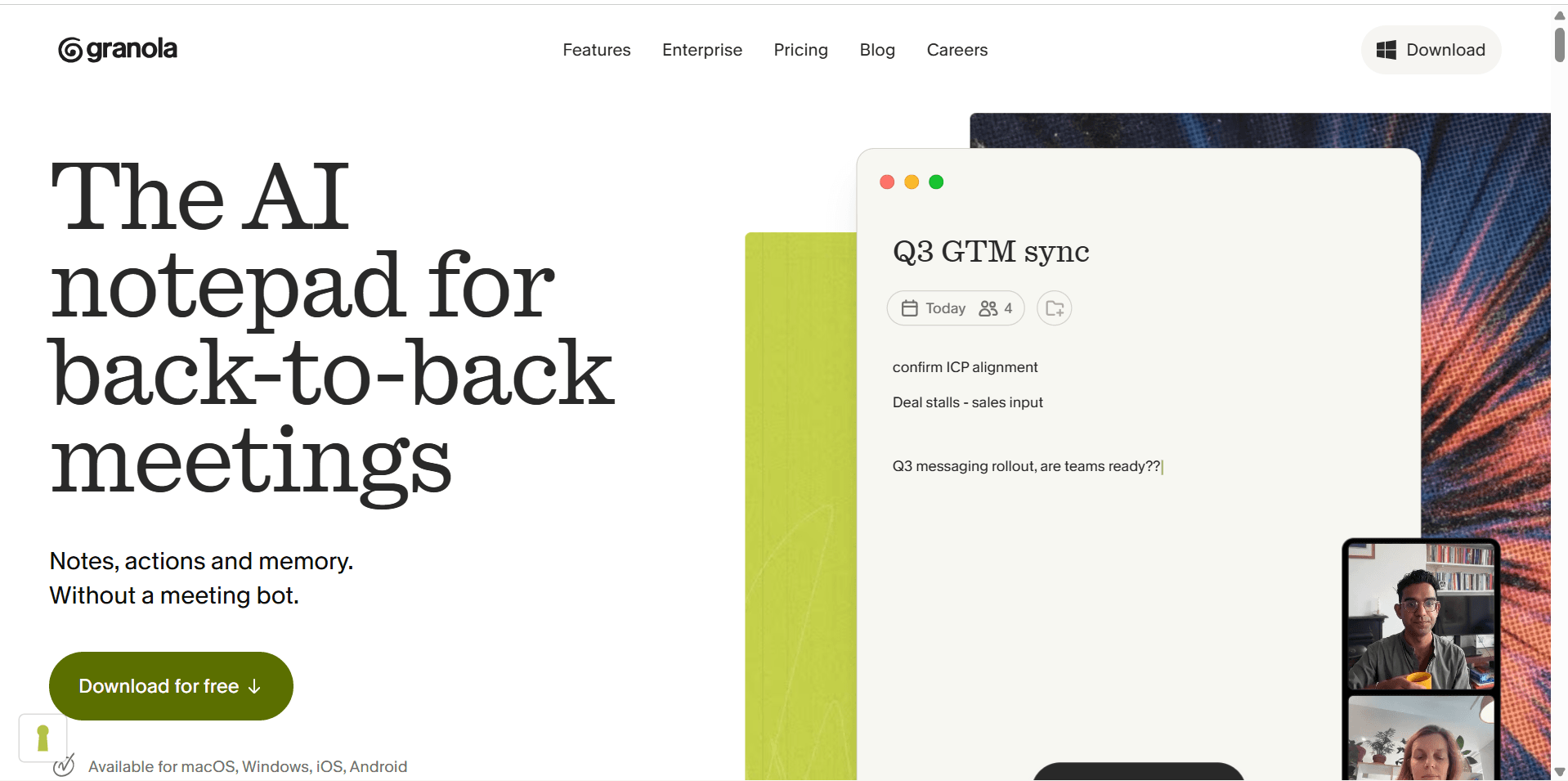
The basic workflow is straightforward.
You start a meeting using Granola, then take notes as you normally would.
While the meeting is happening, the application captures the conversation so that it can understand the context around your notes.
Afterward, the AI helps transform those rough notes into something more structured.
Depending on how you use the platform, your final meeting notes might include:
Key discussion points
Important decisions
Action items
Follow-up tasks
Questions that need answers
Important context
Next steps
The benefit is that you're not starting with a blank page after the meeting.
Instead of asking yourself, "What did we actually decide?", you have an organized record that you can review and share.
This is where Granola's approach becomes particularly interesting.
A traditional transcript tells you what was said.
A good set of meeting notes should tell you what actually matters.
Granola is designed to bridge that gap.
Getting Started With Granola
One of the first things I noticed about Granola is that the experience feels designed around the reality of modern meetings.
You don't necessarily need to spend hours configuring complicated workflows before you can start using it.
The basic process is relatively simple:
Create your account.
Set up the application.
Start or join a meeting.
Take notes as you normally would.
Let Granola capture the conversation.
Review the AI-enhanced notes afterward.
Edit and organize the final result.
This approach makes Granola particularly attractive to people who don't want another complicated productivity system.
The goal isn't to force you to change how you conduct meetings.
It's to make the information you already generate during meetings more useful.
AI Meeting Notes
Rating: ★★★★★ 4.8/5
The central feature of Granola is, unsurprisingly, its AI-powered meeting notes.
But the quality of an AI meeting assistant isn't determined by whether it can generate a summary.
Almost every major AI meeting tool can do that now.
The real question is:
Are the notes actually useful after the meeting ends?
This is where Granola's combination of personal notes and AI context becomes valuable.
Your own notes provide the human perspective.
You might write:
"Client worried about launch timeline."
The AI can use the surrounding conversation to provide additional context about what the client actually said, what concerns were raised, and what the team agreed to do next.
That makes the resulting notes more actionable.
Instead of having to read through an entire transcript, you can quickly identify:
What was discussed
What decisions were made
Who needs to do something
What needs to happen next
For busy professionals, that can save a significant amount of time.
Why Granola's Approach Is Different
The biggest thing that separates Granola from many AI meeting assistants is its philosophy.
It doesn't treat your own notes as unnecessary.
Instead, it treats them as valuable context.
This matters because humans often notice things that AI systems don't immediately understand.
You might jot down:
"Important"
"Follow up"
"Potential issue"
"Ask Sarah"
"Client seemed hesitant"
These short notes may look meaningless to someone else.
But when combined with the conversation, they provide useful signals about what you considered important during the meeting.
Granola's AI can then help turn those fragments into more complete, organized notes.
The result is a workflow that feels less like:
AI replaces your notes.
And more like:
AI helps you make better notes.
That distinction is one of the main reasons I think Granola is worth paying attention to.
Who Is Granola Best For?
Granola isn't necessarily for everyone.
If you only attend one short meeting every few weeks, you probably don't need a dedicated AI meeting assistant.
But if meetings are a major part of your working day, the value becomes much easier to see.
Granola is particularly useful for:
Founders
Business owners
Consultants
Sales professionals
Account managers
Recruiters
Product managers
Team leaders
Customer success professionals
Remote workers
It's especially useful for people who need to remember not just what was said, but what needs to happen afterward.
For example, a consultant might use Granola to keep track of client discussions.
A salesperson could use it to capture customer objections and follow-up commitments.
A manager could use it to document decisions and action items.
A founder could use it to keep track of conversations across multiple teams.
The more meetings you have, the more valuable an automated note-taking system becomes.
My First Impression
Granola feels like a tool built around a very specific problem:
How do you stay engaged in a meeting without losing the important information?
That's a problem almost every knowledge worker has experienced.
You're listening to a client explain a problem while simultaneously trying to remember the three things you need to follow up on.
You write down a few words.
Then the conversation moves on.
By the end of the meeting, your notes are incomplete, messy, and missing important context.
Granola's approach is designed to solve exactly that problem.
It gives you the freedom to participate in the conversation while still creating a reliable record of what happened.
That's the core reason I think Granola stands out in an increasingly crowded AI meeting software market.
Granola AI Review: Features and Real-World Experience
The basic concept behind Granola is interesting, but the real test is how well it performs once you start using it regularly.
An AI meeting assistant can sound impressive on paper, but if the notes are inaccurate, the summaries are generic, or the workflow becomes annoying, you won't keep using it.
So let's look at the features that matter most in everyday use.
AI-Powered Meeting Notes
Rating: ★★★★★ 4.8/5
Granola's biggest strength is the way it combines your personal notes with the context captured from your meeting.
This is a smarter approach than simply asking AI to summarize an entire conversation.
Think about a typical client meeting.
You might type:
"Client wants to launch earlier."
That's enough to remind you of the key point, but it's missing context.
What does "earlier" mean?
Why does the client want to move the launch?
What did your team agree to?
Who needs to do something next?
Granola can use the broader conversation to help turn that quick note into a more complete record.
This means your notes can remain short while you're actually in the meeting, without sacrificing the context you'll need later.
That's particularly useful when you're trying to actively participate in a conversation rather than spending the entire meeting typing.
What I Like
Combines human notes with AI context
Helps create more complete meeting notes
Reduces the pressure to document everything manually
Useful for follow-ups and action items
Notes remain connected to your own perspective
What Could Be Better
The quality of the final notes still depends on the quality of the meeting context.
You may still want to review important notes before sharing them with clients or colleagues.
Transcription
Rating: ★★★★☆ 4.6/5
Transcription is an important part of any AI meeting assistant.
After all, the AI needs enough context to understand what happened during the conversation.
Granola's approach is designed to capture the conversation in the background while you focus on the meeting itself.
This is particularly helpful for longer discussions where it's impossible to remember every detail.
However, I wouldn't treat any AI-generated transcript as a perfect legal or business record without reviewing it first.
Meetings can contain:
Industry-specific terminology
Product names
Accents
Multiple people speaking at once
Background noise
Technical language
These factors can affect transcription accuracy.
For normal business conversations, the system can provide useful context for your notes. But if a particular detail is critical, it's still worth verifying it.
The real value isn't necessarily having a perfect word-for-word transcript.
It's having enough accurate context for the AI to help you produce useful notes afterward.
Editing and Organizing Notes
Rating: ★★★★★ 4.8/5
One of the things I appreciate about Granola is that the AI doesn't completely take control of your notes.
You can still edit, refine, and organize the information yourself.
This matters because AI-generated notes aren't always perfect.
Maybe you want to:
Remove unnecessary details
Add your own thoughts
Correct a misunderstanding
Highlight an important decision
Add a follow-up task
Rewrite something in your own words
The ability to edit the final output means you're not forced to accept whatever the AI generates.
This makes Granola feel more like an assistant than an automated replacement for your own judgment.
For business users, that's an important distinction.
Meeting Summaries
Rating: ★★★★★ 4.7/5
After a meeting, the last thing most people want to do is spend another 20 minutes writing a summary.
That's where AI-generated summaries become valuable.
Granola can help turn the information captured during your meeting into a more structured overview.
Depending on the meeting, you might want to quickly identify:
The main topics discussed
Important decisions
Outstanding questions
Action items
Next steps
This is especially useful when you have several meetings in a single day.
Instead of opening your calendar and trying to remember what happened in each conversation, you can review your notes and quickly refresh your memory.
The feature becomes even more useful when you need to prepare for a follow-up meeting.
Rather than starting from scratch, you can review the previous conversation and immediately understand where things left off.
Action Items and Follow-Ups
One of the most important parts of any meeting is what happens afterward.
A meeting can be productive, but if nobody remembers what they agreed to do, the value disappears quickly.
This is where AI-generated action items can help.
Instead of having to manually create a list after every meeting, Granola can help surface the tasks and commitments discussed during the conversation.
For example:
Send the proposal by Friday
Schedule a follow-up call
Review the revised contract
Share the product roadmap
Introduce the client to the implementation team
These details are easy to forget when you're moving between meetings all day.
Having them organized in your notes gives you a much better chance of actually following through.
That said, I still recommend transferring important action items into your project management system.
If your team uses Monday.com, ClickUp, Asana, or another task management platform, the meeting notes should be the starting point—not the final destination—for important work.
Integrations and Workflow
Rating: ★★★★☆ 4.5/5
The real value of an AI meeting assistant isn't just what happens during a meeting.
It's what happens afterward.
That's why integrations matter.
If meeting notes remain trapped inside a single application, you may still have to manually copy information into the rest of your workflow.
The ideal setup is something like this:
Meeting → AI Notes → Action Items → Project Management System → Team Follow-Up
For example, you might use Granola to capture a client meeting, then move important action items into Monday.com.
Your CRM could store customer information.
Your project management platform could track the work.
And Granola could preserve the context behind the conversation.
That's a much more practical approach than expecting one application to manage your entire business.
Before choosing Granola, however, I'd recommend checking its current integrations and compatibility with the tools you already use.
Your workflow should determine which AI meeting assistant you choose not the other way around.
User Experience
Rating: ★★★★★ 4.8/5
An AI tool can have dozens of features and still be frustrating if the interface gets in your way.
Granola's appeal is that it tries to stay focused on the meeting itself.
You don't want to spend five minutes configuring software before every call.
You want to start the meeting and get on with your work.
The overall experience is designed around that principle.
The interface feels modern and relatively straightforward, which is important because meeting software needs to become part of your routine.
The less you have to think about the tool, the more likely you are to keep using it.
This is particularly important for professionals who have back-to-back meetings.
A complicated workflow quickly becomes another task to manage.
Privacy and Security
Privacy is one of the most important considerations when using any AI meeting assistant.
After all, your meetings may contain:
Customer information
Financial discussions
Internal business plans
Product roadmaps
Employee information
Confidential conversations
Before adopting any AI meeting tool for your company, you should understand how it handles your data.
Pay particular attention to:
Where meeting data is stored
How long data is retained
Whether your data is used to train AI models
Encryption practices
Account access controls
Data deletion policies
Compliance certifications
Company-wide security controls
This is especially important for businesses operating in regulated industries.
For casual internal meetings, the risk profile may be relatively low.
For legal, healthcare, financial, or highly confidential discussions, you'll want to perform a much deeper security review before allowing an AI tool to process sensitive conversations.
My recommendation is simple: don't assume every AI meeting assistant has the same privacy policies.
Always review the provider's latest privacy and security documentation before deploying the software across your organization.
Where Granola Fits Into Your Software Stack
I don't think Granola should necessarily replace your existing business software.
Instead, it works best as a layer between your meetings and your other tools.
For example:
Granola
Captures and organizes meeting context.
↓
CRM
Stores customer and prospect information.
↓
Project Management Software
Tracks tasks and deadlines.
↓
Knowledge Base
Stores long-term documentation and company knowledge.
This makes Granola particularly interesting for businesses that already have a software stack but struggle to turn meeting conversations into organized information.
A salesperson can leave a customer call with structured notes.
A consultant can document client decisions.
A manager can capture team discussions.
A founder can keep track of important conversations.
The meeting becomes the starting point for the workflow instead of a forgotten conversation that disappears as soon as the call ends.
My Biggest Takeaway So Far
The most interesting thing about Granola isn't simply that it uses AI to take notes.
That's no longer unique.
The interesting part is how it combines AI with your own thinking.
Instead of trying to remove you from the note-taking process completely, Granola gives you the ability to add your own context while AI helps fill in the gaps.
For people who want to stay engaged in meetings but still leave with useful documentation, that's a compelling approach.
The question that remains is whether the value justifies the cost.
That's where pricing becomes particularly important—especially when you're comparing Granola with alternatives that offer free plans or different approaches to AI meeting assistance.
Granola AI Pricing
Pricing is one of the most important factors to consider before adding another AI tool to your software stack.
Granola's value depends heavily on how often you attend meetings and how much time you spend turning conversations into notes and follow-up tasks.
If you have a few meetings each month, paying for a dedicated AI meeting assistant may not make much sense.
But if you're in meetings every day, the time saved can quickly make the subscription worthwhile.
Granola's pricing and plan structure can change, so I recommend checking the latest pricing directly on the company's website before making a purchase.
When comparing plans, pay close attention to:
The number of meetings included
AI usage limits
Available transcription features
Note-taking capabilities
Collaboration features
Team administration
Data retention
Enterprise security
Integrations
The most expensive plan isn't automatically the best option.
For an individual professional, the standard paid plan may be more than enough.
Larger companies should evaluate the security, administration, and collaboration features before rolling Granola out across an entire organization.
Granola AI Pros and Cons
A good review shouldn't just explain what a product does.
It should also be honest about where it falls short.
Here's my overall assessment.
Granola Pros
Excellent AI-Assisted Notes
Granola's combination of your own notes and AI-generated context is one of its most compelling features.
It produces notes that can feel more personalized and relevant than a generic meeting transcript.
Reduces the Pressure to Take Notes
You can participate more actively in meetings without worrying about writing down every single detail.
Great for Meeting-Heavy Professionals
If your calendar is packed with calls, the ability to quickly review previous conversations can save significant time.
Useful for Follow-Ups
The ability to surface decisions, action items, and next steps makes the tool valuable beyond the meeting itself.
Simple Workflow
Granola doesn't require you to completely redesign your existing business processes.
It can sit alongside your CRM, project management software, and other tools.
Strong Use Cases Across Industries
Consultants, sales professionals, founders, recruiters, managers, and customer-facing teams can all find practical uses for the platform.
Granola Cons
It May Be Overkill for Casual Meeting Users
If you only attend a handful of meetings each month, the cost may not be justified.
AI Notes Still Need Human Review
AI can misunderstand context or miss important details.
For critical business decisions, you should always review the output before treating it as an authoritative record.
Another Subscription to Manage
Businesses already using multiple AI and productivity tools may question whether they need another monthly expense.
Privacy Requires Careful Consideration
Companies handling sensitive information should carefully review Granola's current privacy and security policies before deploying it.
The Value Depends on Your Workflow
Granola is most valuable when your business actually does something with meeting information.
If you generate notes but never act on them, the benefit will naturally be lower.
Granola AI vs Other AI Meeting Assistants
Granola isn't the only option available.
Depending on your workflow, you may also want to consider alternatives such as Otter.ai, Fireflies.ai, Fathom, or other AI meeting tools.
The key difference isn't necessarily which tool has the most features.
It's which approach fits the way you work.
Granola vs Otter.ai
Otter.ai is well known for transcription and AI-powered meeting summaries.
It's a strong option if your priority is creating searchable records of conversations and generating automated summaries.
Granola takes a more note-focused approach by combining AI-generated context with your own notes.
Choose Granola if: You want AI to enhance your personal meeting notes.
Choose Otter.ai if: Transcription and searchable meeting records are your main priority.
Granola vs Fireflies.ai
Fireflies.ai focuses heavily on capturing, transcribing, and analyzing conversations across meetings.
It's particularly interesting for teams that want to turn meeting data into a broader source of business intelligence.
Choose Granola if: You want a personal, note-centered meeting workflow.
Choose Fireflies.ai if: Your organization wants to capture and analyze a large volume of meetings.
Granola vs Fathom
Fathom has become popular among professionals who want automated meeting recordings, transcripts, summaries, and action items.
It can be particularly attractive for teams that want a more automated meeting documentation experience.
Granola's key differentiator is its emphasis on combining your own notes with AI-generated context.
Choose Granola if: You want to stay actively involved in the note-taking process.
Choose Fathom if: You prefer a more automated approach to meeting summaries and documentation.
Who Should Use Granola?
After looking at the platform as a whole, I think Granola is best suited to people whose work revolves around conversations.
Consultants
Client conversations often contain decisions, requirements, and follow-up commitments that need to be remembered later.
Granola can help keep that information organized.
Sales Professionals
Sales calls are full of important details.
Customer objections, requirements, timelines, and commitments can easily get lost when you're moving from one call to another.
Founders and Business Owners
Founders often have meetings across multiple departments and projects.
Having a reliable record of those conversations can make it easier to stay on top of important decisions.
Managers
Team meetings frequently produce action items that need to be followed up on.
AI-assisted notes can make those commitments easier to track.
Recruiters
Interviews and candidate conversations contain a lot of information.
A structured record can help recruiters remember important details and prepare for later stages of the hiring process.
Customer Success Teams
Customer conversations often reveal product issues, feature requests, and potential risks.
Capturing that information can help customer success teams maintain better relationships.
Who Shouldn't Use Granola?
Granola isn't necessarily the right choice for everyone.
I'd think twice about using it if:
You rarely attend meetings.
Your meetings are extremely short.
You already have a meeting assistant that works perfectly for your needs.
Your organization has strict restrictions on AI meeting tools.
You don't have a process for acting on meeting notes.
You only need basic transcription.
In these cases, a simpler solution may be enough.
Is Granola AI Worth It?
The answer depends on how much time meetings consume in your working life.
If you spend several hours every week in meetings, the value proposition becomes much stronger.
Think about what happens after a typical meeting.
You might spend:
10 minutes reviewing your notes
15 minutes writing a summary
10 minutes identifying action items
5 minutes updating your project management system
That's potentially 40 minutes of administrative work for a single meeting.
Multiply that across several meetings each week, and the time adds up quickly.
An AI meeting assistant can reduce some of that workload.
Granola's advantage is that it doesn't simply attempt to replace your notes with an automated summary.
It works alongside your own note-taking, which can make the final result more relevant to you.
For meeting-heavy professionals, I think that's where the strongest value lies.
My Final Verdict
Overall Rating: ★★★★☆ 4.6/5
Granola is an impressive AI meeting assistant with a genuinely interesting approach to a crowded category.
The platform's biggest strength is its focus on combining human context with AI assistance.
Instead of expecting AI to understand everything about a conversation on its own, Granola allows you to add your own thoughts and observations while the AI fills in the surrounding context.
That makes the final meeting notes more useful and potentially more actionable.
I particularly like the platform for consultants, founders, sales professionals, managers, and anyone who spends a large part of their working week in meetings.
The main question is whether you attend enough meetings to justify paying for another software subscription.
If you do, Granola is worth considering.
If you only attend occasional meetings, you may be better off with a simpler or free alternative.
Ultimately, Granola isn't trying to be your entire productivity system.
It's trying to solve one specific problem:
Helping you get more value from the conversations that happen every day in your business.
And based on what I've seen, it does that job very well.
Frequently Asked Questions
What is Granola AI?
Granola is an AI-powered meeting assistant that helps users capture and organize information from meetings. It combines your own notes with AI-generated context to create more useful meeting documentation.
Is Granola an AI note-taking app?
Yes. Granola is primarily designed to help users create better meeting notes using AI while still allowing them to add their own thoughts and context.
Is Granola better than Otter.ai?
Neither is universally better. Granola is particularly appealing if you want AI to enhance your own notes, while Otter.ai may be a better fit if transcription and searchable meeting records are your main priorities.
Is Granola worth paying for?
For professionals who attend meetings regularly, Granola can be worth the cost because it reduces the time spent documenting conversations and remembering follow-up tasks. Occasional meeting users may find a simpler solution sufficient.
Can Granola replace project management software?
No. Granola is better viewed as a meeting intelligence and note-taking tool. Important action items should still be transferred into project management platforms such as Monday.com, ClickUp, or Asana.
Who is Granola best for?
Granola is particularly well suited for consultants, founders, sales professionals, managers, recruiters, customer success teams, and other professionals who spend significant time in meetings.
Related Articles
Best AI Meeting Assistants in 2026
Granola vs Otter.ai: Which AI Meeting Assistant Is Better?
Granola vs Fireflies.ai: Which Meeting Tool Should You Choose?
Best AI Tools for Business in 2026
Monday.com Tutorial: How to Manage Projects and Workflows


